Find where you haven't been.
Discover how much of your own city you haven't seen.

Features
Made for exploring your city
Made by people who love exploring and discovering. A place to keep track of the places you've been, and the places you want to explore.
Tile by tile
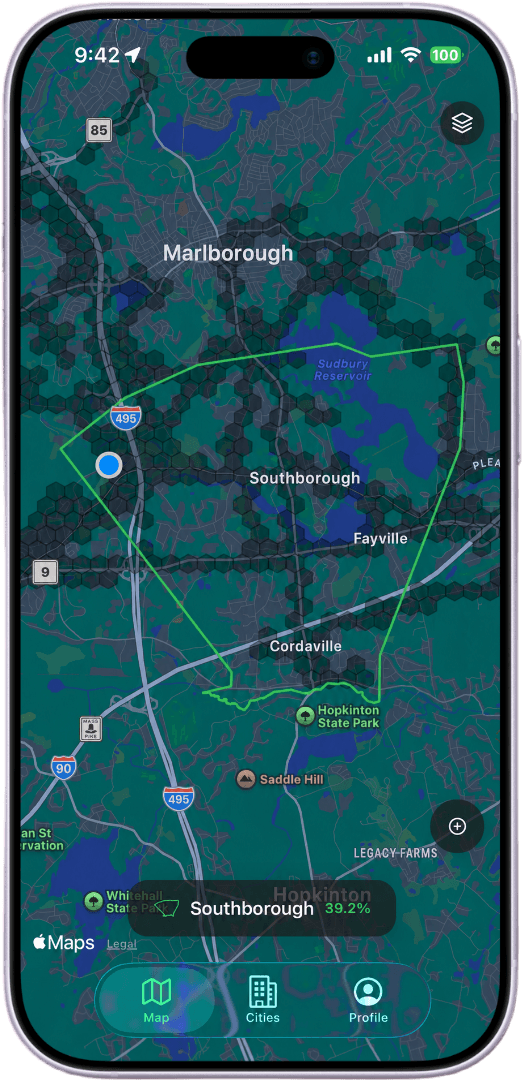
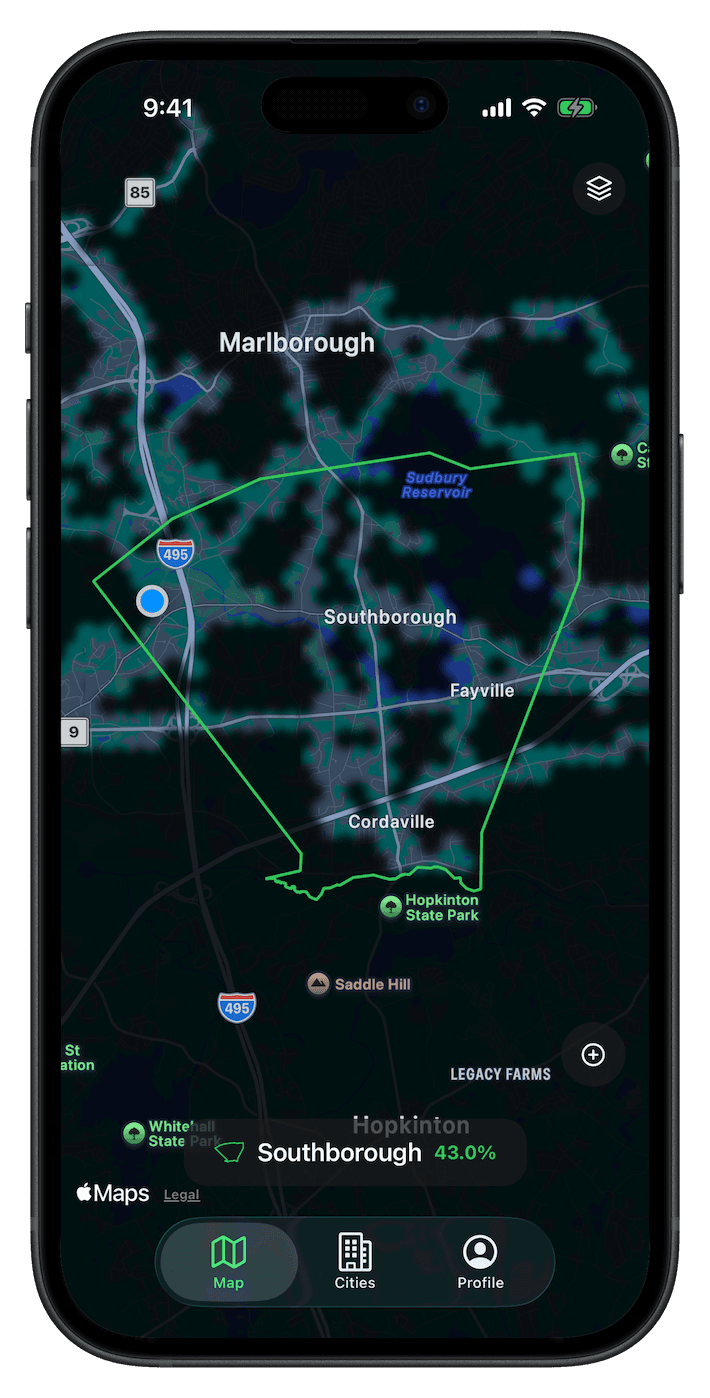
As you move, Explored fills the map one tile at a time. Every street you walk or drive counts toward how much of a city you've covered.
City coverage
See the exact percentage of each city you've explored, and how much is still left to find.
States and cities
Zoom out to your state: how many cities you've set foot in, and how deeply you've covered each one.
Census data built-in
Tap any city for its stats: population density, median age, and more.
City vs. city
Put two cities you've explored side by side and compare your coverage against each city's stats in one view.
Easy on your battery
Tracking sleeps while you're still and only wakes when you move, so your map fills in all day without draining your phone.
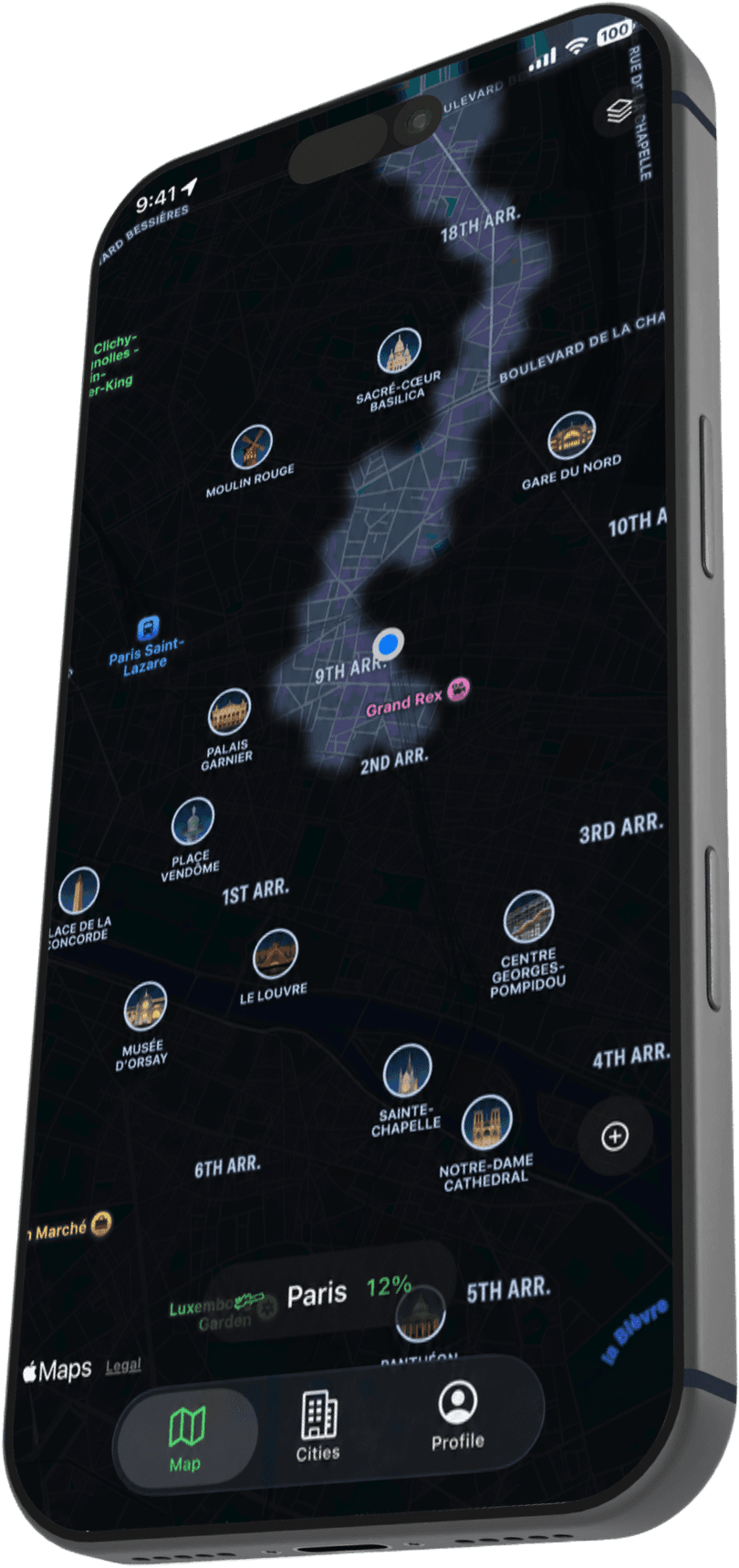
Layers
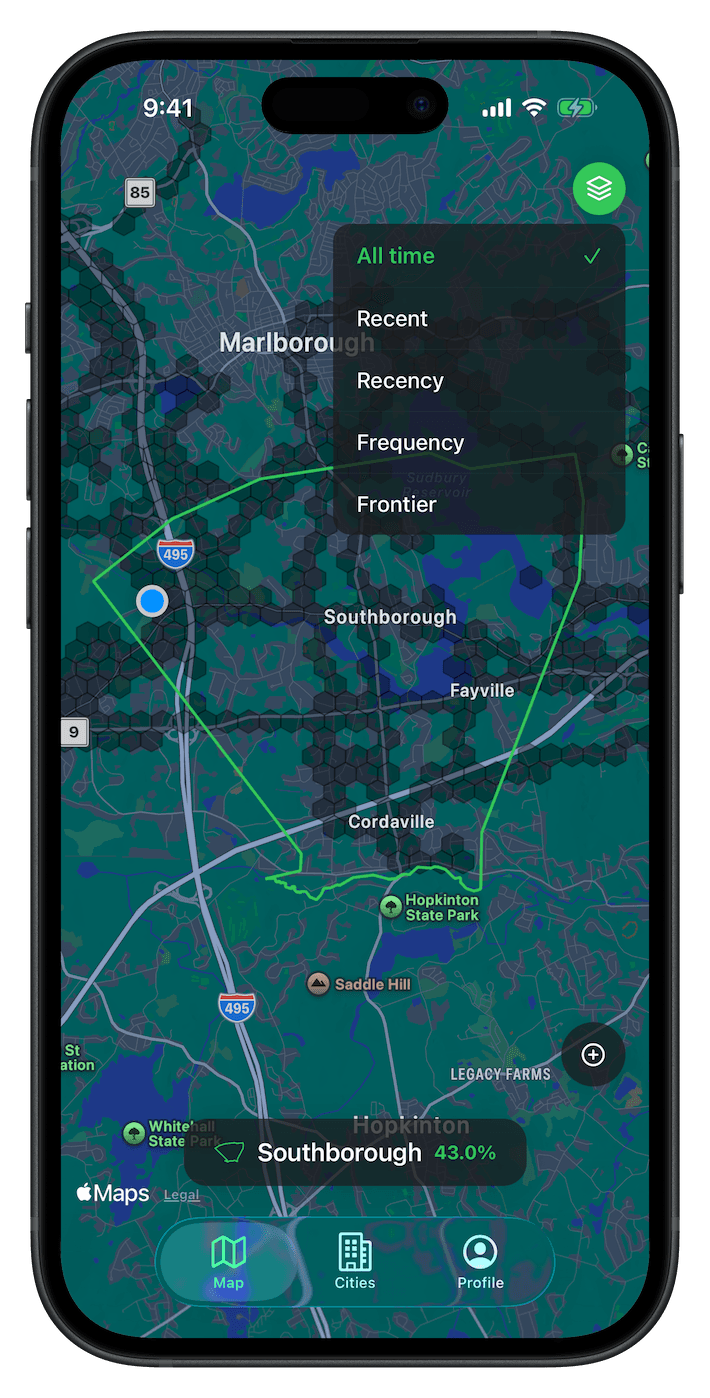
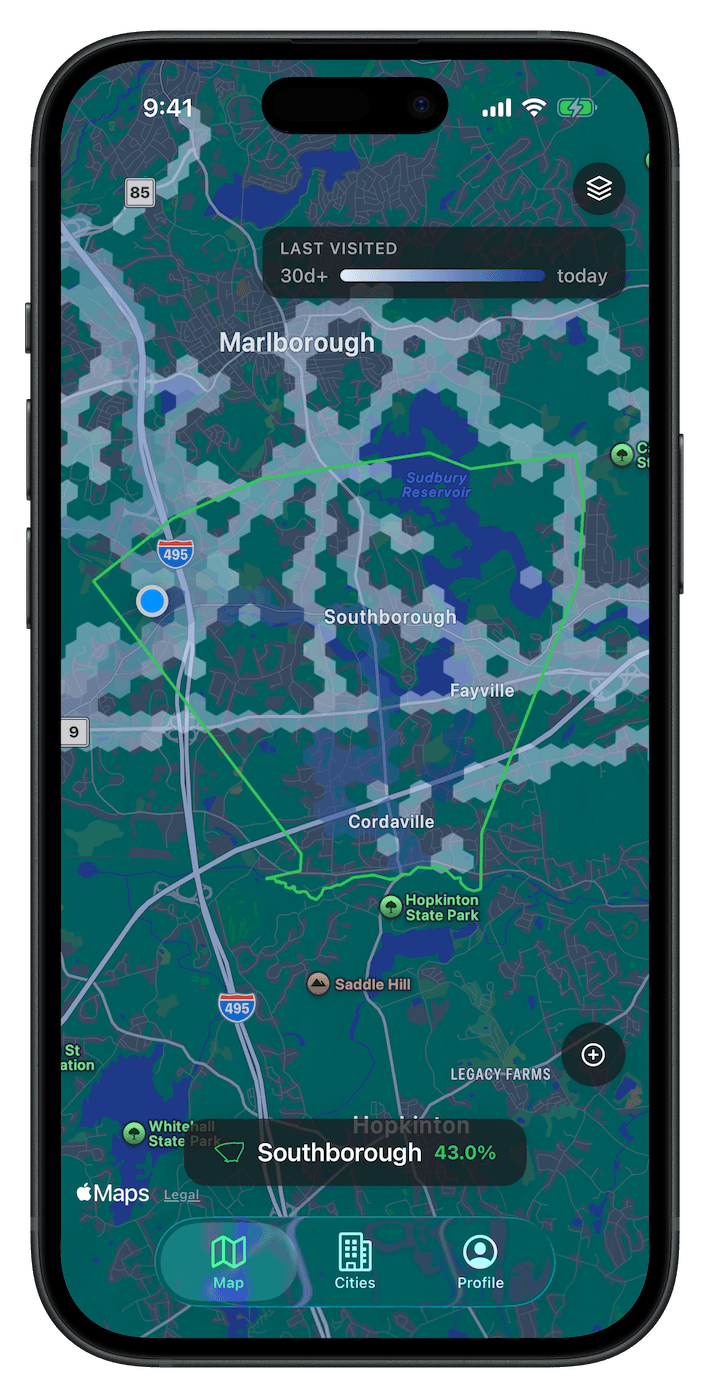
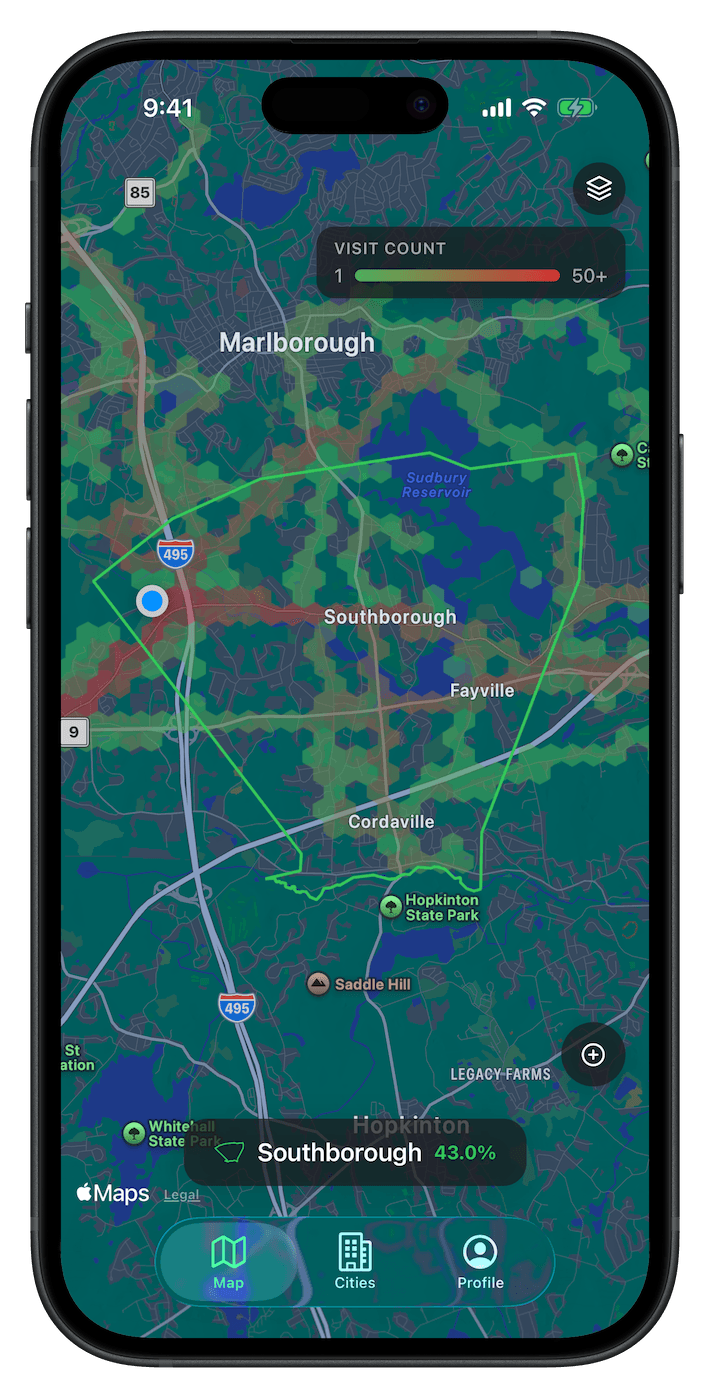
Read your map four ways.
Tap to switch.
Your complete history in one layer. Tiles from your first week still count, right alongside this morning's commute. The map only grows from here. Watch the coverage climb as the blank space fills.
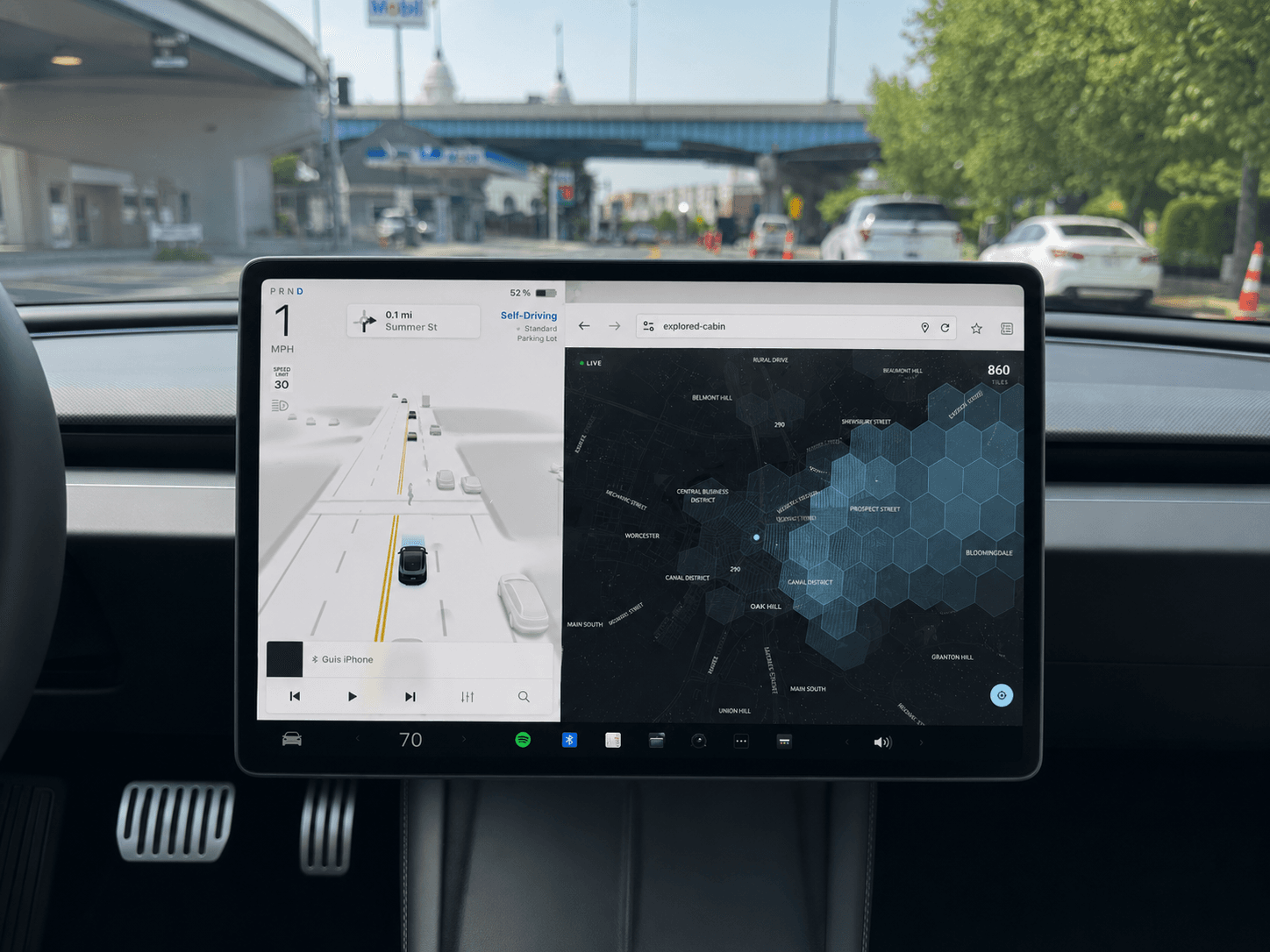
Drive-ready · Tesla
Cabin View
Turn any drive into progress. If you drive a Tesla, Cabin puts your live map right on the car's screen and fills it in as you roll.
- A clean, full-screen map that's easy to read at speed and even better from the passenger seat.
- Updates in real time as you drive.
- Just drive. Pair it once and leave it running all day.
Screenshots
See it for yourself.
Swipe through these screenshots and get a feel for the app before you download.
Common questions
Good questions.
Some frequently asked questions about Explored.
Your phone quietly notes where you go as you go about your day, even with the app closed. Anywhere you spend time fills in on your map on its own, without the need to check in.
Less than you'd expect. Explored stays asleep while you're still, at home, at your desk, overnight, and only wakes the GPS up once you're actually on the move. It leans on your phone's built-in motion sensing instead of constantly checking where you are, so the cost stays low. You can pause tracking anytime, and your map stays put.
Only while you let it. Tracking runs in the background so you don't have to think about it, and you're always in control. Pause it whenever, and it never tracks while paused.
Just you. Your map is private to your account, and we never sell your data or show your locations to anyone else. We keep only what's needed to restore your progress if you switch phones.
Anywhere your phone has GPS, which is just about everywhere. Explored works worldwide, filling in your map from your home block to the other side of the planet.
Yes. If you drive a Tesla, Cabin Mode puts your live map right on the car's screen. Accessed through the browser, pair it once with your phone and watch new streets fill in as you drive.
Get the app
On iPhone. Start exploring.
You've seen less of your own city than you think. Download Explored, head out the door, and watch the blank space fill in one street at a time.
Set it up once, then just explore
How permissions work